

Your rules, in your order
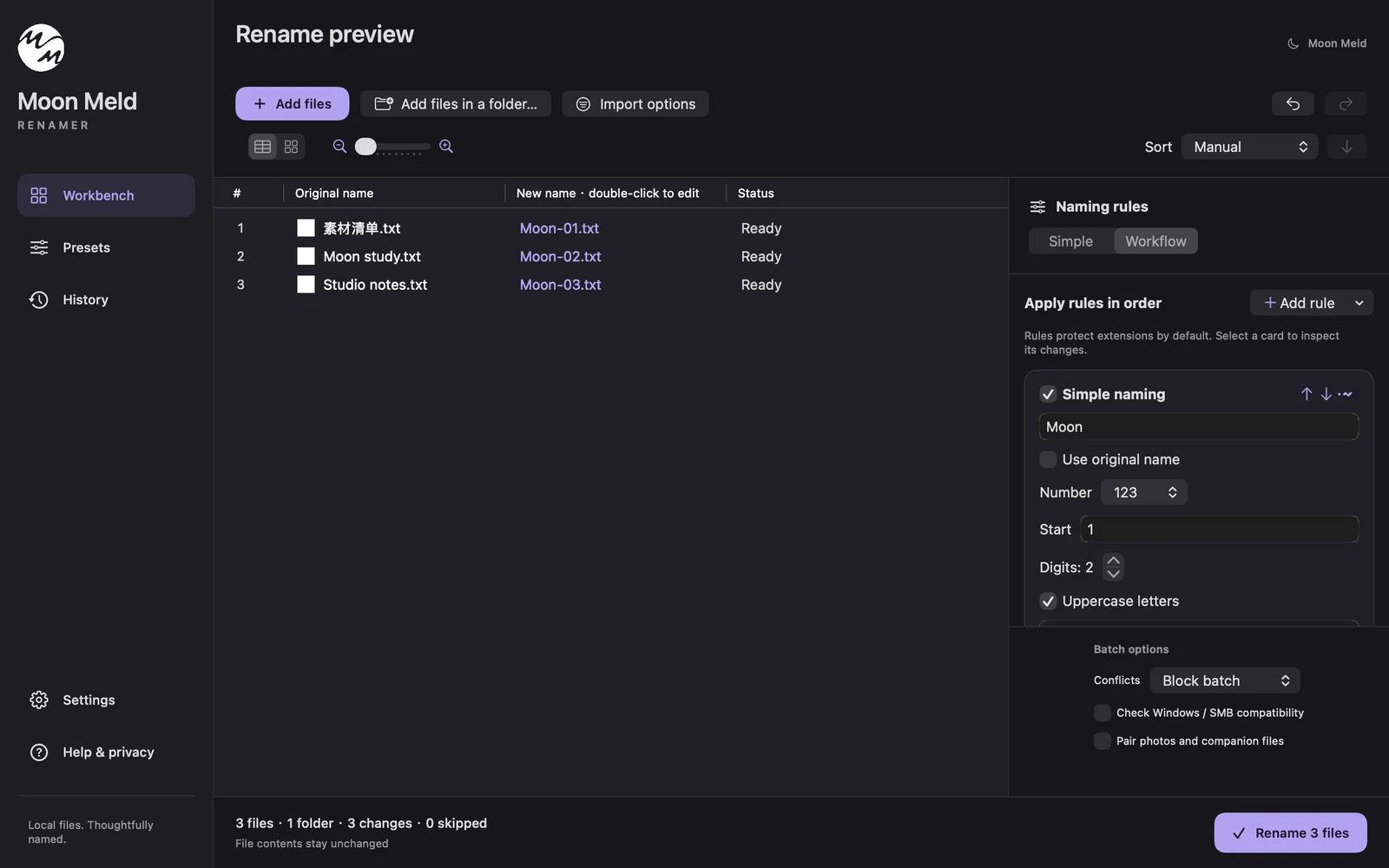
Combine numbering, dates, find and replace, prefixes, and more. Save a workflow to use it again.
YOUR FILES, THOUGHTFULLY NAMED
Bring order to your files with a thoughtful batch renamer for Mac. Build your rules, see every change, and rename with confidence. All on your device.
The public release is on its way. We’re getting the final details ready.
Get in touch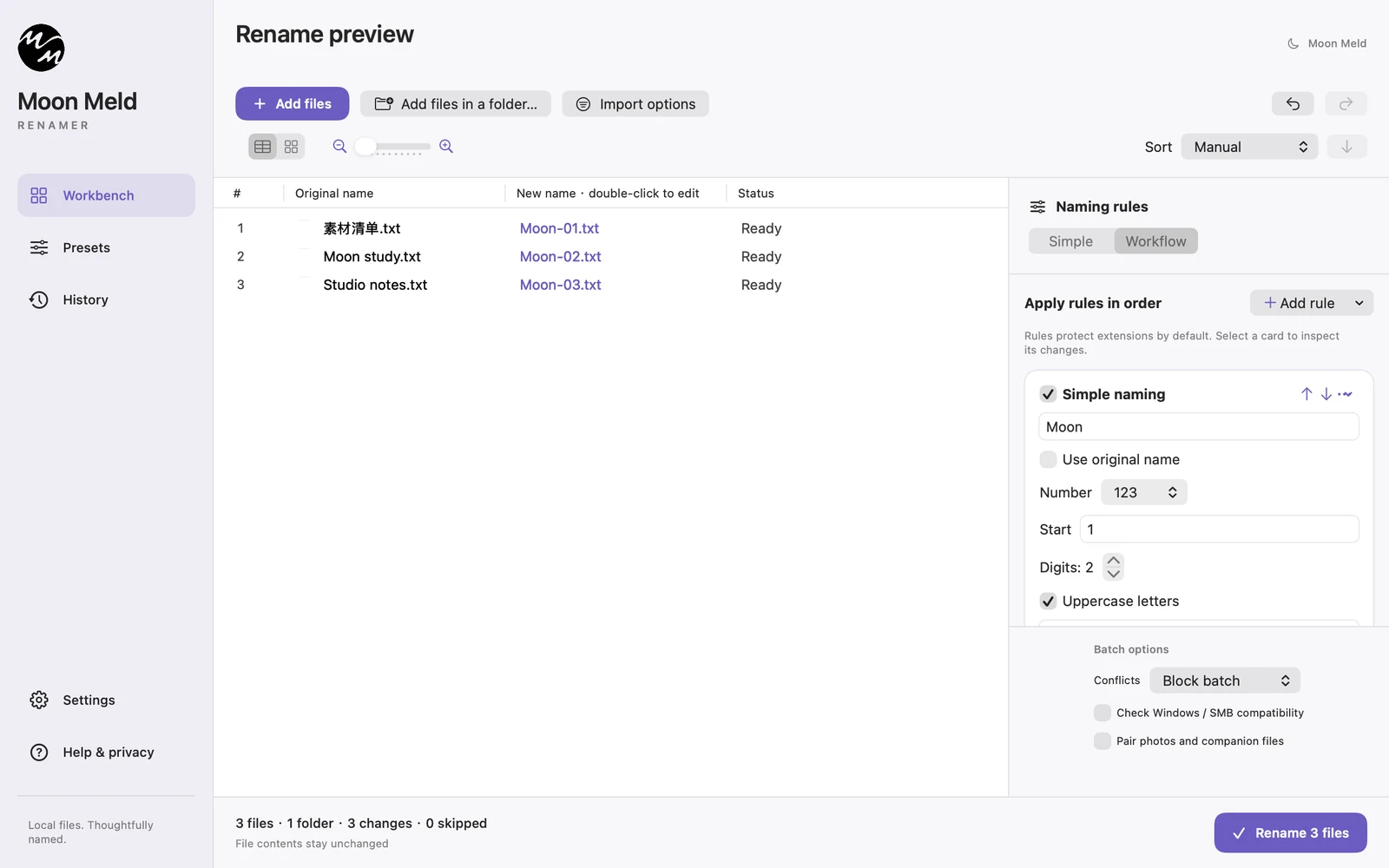
Everything in its place.macOS 14+ · Version 1.2.0
ONE PURPOSE. ALL THE RIGHT DETAILS.
Combine numbering, dates, find and replace, prefixes, and more. Save a workflow to use it again.
Compare original and new names side by side. Inspect each rule, fine-tune a name, and resolve conflicts before running.
Name photos using capture dates and camera metadata. Keep matching photos and companion files together.
Map filenames from a CSV with an import preview, column selection, and support for multiple folders.
Keep local rename history and restore a batch or selected files. Restoration checks for missing files and naming conflicts.
No account, no file uploads, no ads. Access is limited to the files and folders you choose.
A SIMPLE RHYTHM
Add files or a folder, or drag them in from Finder. Choose filters and recursion when you need them.
Start simple, or combine workflow rules. Compare the original and new names before making changes.
Confirm the batch and folder permissions. View the result and use history if you need to restore names.
SEE IT IN ACTION
Follow a real naming workflow, from adding files to restoring their original names.
Can’t play the video? The steps above and the screenshot below show the same workflow.
Add files or a folder, or drag them in from Finder. Choose filters and recursion when you need them.
Start simple, or combine workflow rules. Compare the original and new names before making changes.
Confirm the batch and folder permissions. View the result and use history if you need to restore names.
The demonstration ends by opening local history and restoring the original names of the sample files.
If the video cannot load, use the walkthrough and screenshot below.
A FEW GOOD QUESTIONS
The public release is being prepared. This page will have the official download when it is ready. Contact support@moonmeld.com with questions.
The app targets macOS 14 or later and includes Apple silicon and Intel architectures. The current version has been validated locally on Apple silicon; Intel and every supported macOS version have not been individually tested.
No. Renaming and photo metadata processing happen on your Mac. The app does not require an account or upload files.
Local history supports restoring whole batches or selected files. Missing files, external changes, or occupied target names can prevent restoration. Check the preview carefully before running.
No. Folder import gathers files; folder names and file contents are not changed. File packages and symbolic links are not traversed.
MOON MELD RENAMER
The public release is on its way. We’re getting the final details ready.
Get in touch